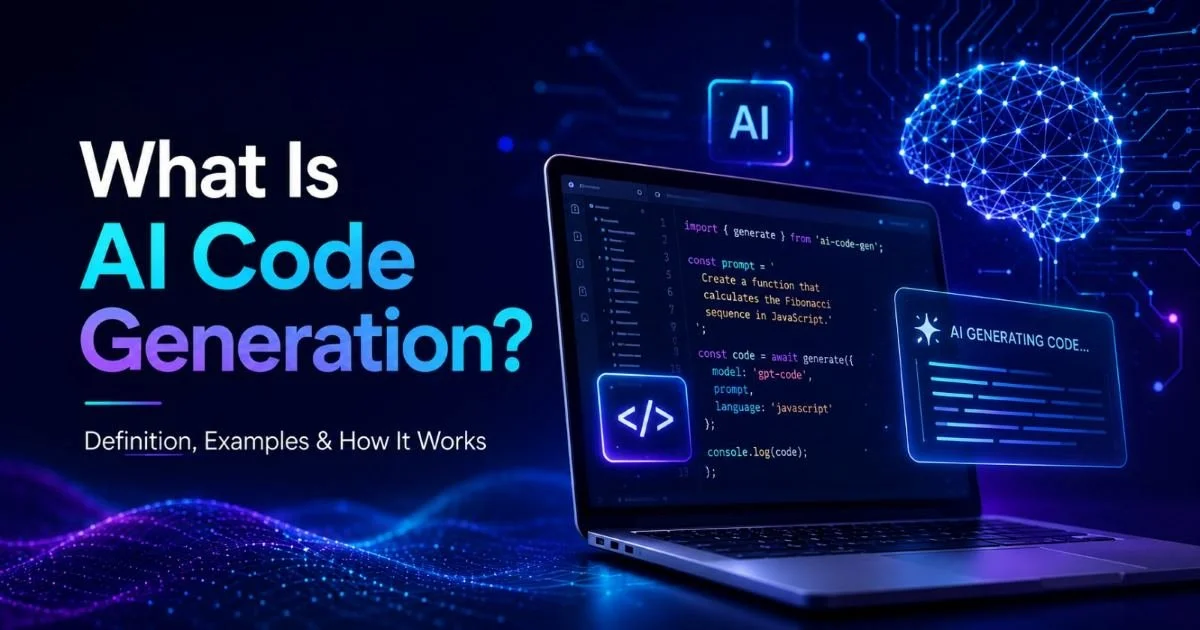
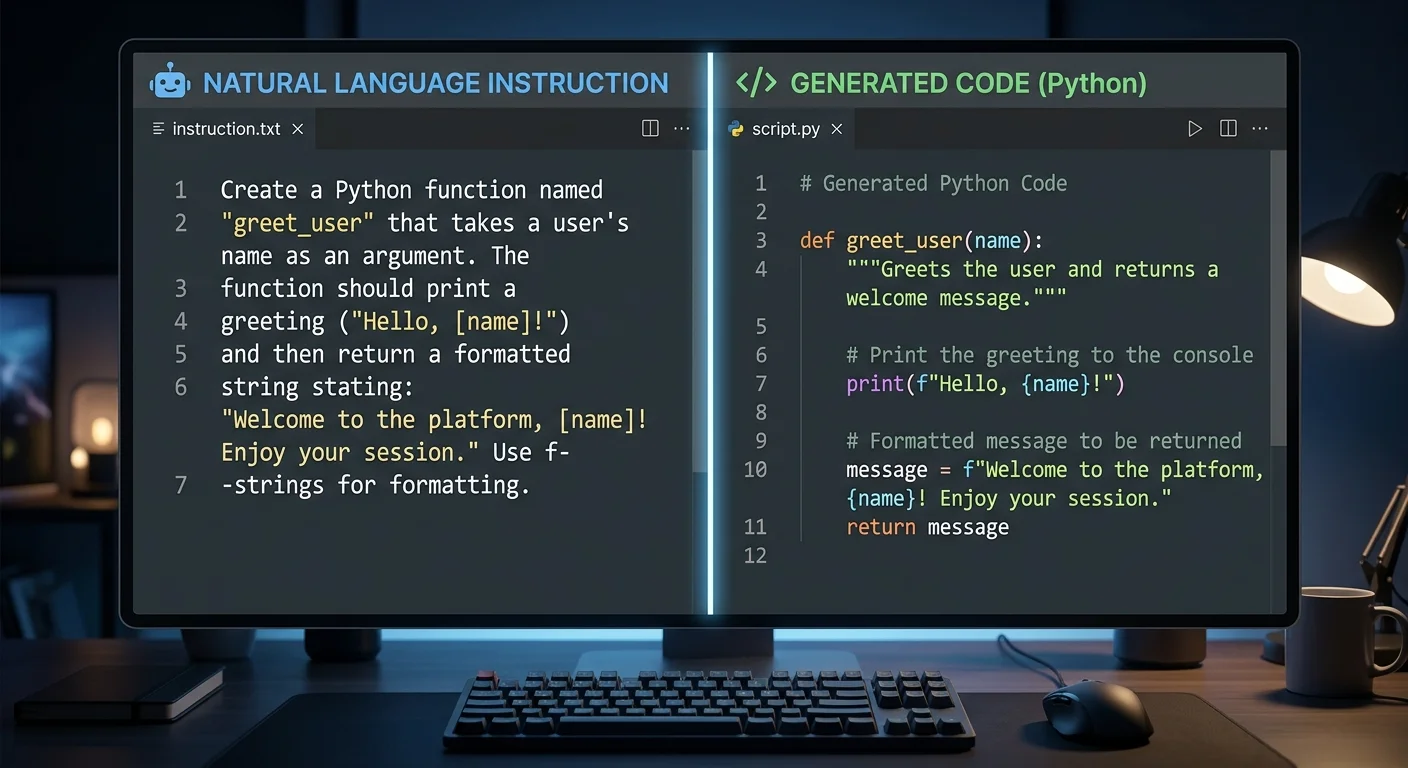
To generate code from instructions is to describe what you want a piece of software to do in plain language and receive functional, ready-to-use code in return. This concept has moved from research labs into everyday developer workflows, reshaping how websites, mobile apps, automation scripts, and UI components get built. Instead of memorizing syntax or hunting through documentation, you write a prompt, and an AI code generation system translates your intent into working code. For beginner and mid-level developers, this shift is significant.
It lowers the barrier to building real software, speeds up prototyping, and frees you to focus on design decisions rather than boilerplate. The practice isn't about replacing programmers. It's about giving every developer a capable assistant that speaks their language, literally. Understanding what this means, how it works, and where it fits into your toolkit is the purpose of this guide.
Key Takeaways
- You generate code from instructions by describing desired behavior in natural language to an AI tool.
- AI code generation handles websites, scripts, components, and automation workflows from simple prompts.
- Clear, specific prompts produce dramatically better output than vague or abstract requests.
- These tools complement developer skills rather than replacing the need to understand code.
- Reviewing and testing generated output is always necessary before deploying to production environments.

How It Works: From Prompt to Functional Code
The Role of Large Language Models
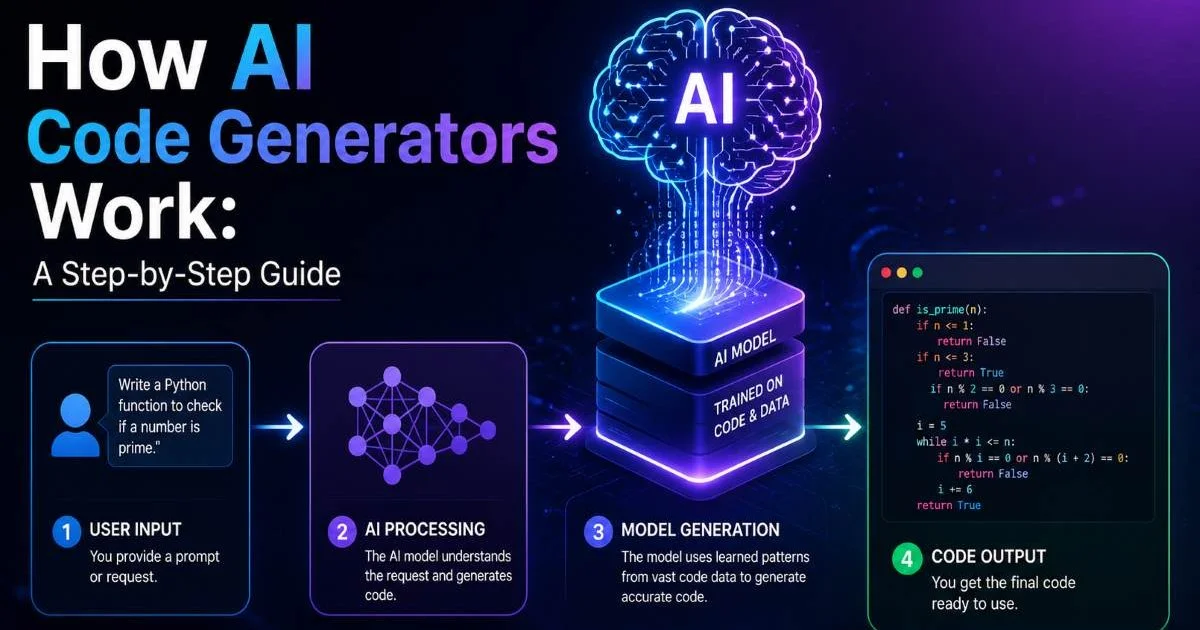
At the core of this capability are large language models (LLMs) trained on billions of lines of open-source code, documentation, and technical discussions. When you type "create a Python script that renames all .jpg files in a folder by date," the model parses your intent, maps it against patterns it has learned, and generates syntactically correct code. The process happens in seconds. Models like GPT-4, Claude, and Code Llama power many of the tools available today, each with slightly different strengths in language support and reasoning quality.
These models don't "understand" code the way a human does. They predict the most probable next token (word or symbol) based on the context you provide. This statistical approach works surprisingly well for common patterns. A detailed overview of AI code generation explains how transformer architectures enable these systems to handle everything from simple functions to multi-file project scaffolding. The quality depends heavily on training data breadth and the specificity of your request.
Prompt Structure Matters
The difference between useful output and garbage often comes down to how you write your prompt. Vague instructions like "make a website" produce generic boilerplate. Specific instructions like "build a responsive landing page with a hero section, three feature cards, and a contact form using Tailwind CSS" yield something you can actually ship. Including the programming language, framework, and any constraints (like "no external dependencies") dramatically improves results. Think of prompting as a skill you develop over time, not a magic incantation.
Always specify the programming language, framework version, and output format when writing prompts for code generation.
Context also plays a role. Many modern code generator tools let you feed in existing files or project structure so the AI can match your conventions. This contextual awareness means the generated code uses your naming patterns, follows your architecture, and imports from the right modules. Tools that integrate with MCP servers for coding take this further by connecting to external data sources and APIs directly during generation. The result is output that fits your project rather than floating in isolation.
Why It Matters: Use Cases Across Development
Websites and Front-End Components
One of the most popular applications is front-end development. You can generate code from instructions to build apps with AI assistance, producing React components, Vue templates, or plain HTML/CSS layouts from a description. A junior developer working on a dashboard might prompt: "Create a bar chart component in React using Recharts that accepts an array of monthly revenue data." Within seconds, they have a functional starting point. This accelerates the build phase and lets the developer spend time on customization, accessibility, and performance tuning instead of scaffolding.
Full websites benefit too. Static site generators, landing pages, and even e-commerce storefronts can be prototyped through a series of well-crafted prompts. The output won't be pixel-perfect on the first try, but it provides a solid skeleton. Designers who know basic HTML can use these tools to move from mockup to working prototype without waiting on a developer's schedule. For teams running lean, this kind of speed matters enormously during early-stage product validation.
"Writing a good prompt is becoming as valuable a skill as writing good code."
Scripts and Automation
Script automation is another area where instruction-based code generation shines. Developers frequently need one-off scripts: renaming files, parsing CSVs, hitting an API endpoint on a schedule, or migrating data between databases. These tasks are tedious to write from scratch every time. Describing the task in plain language and letting the AI handle the implementation saves real hours each week. DevOps engineers use this approach to automate coding tasks like generating Terraform configurations, writing CI/CD pipeline definitions, and creating monitoring alert rules.
Consider a practical example. A marketing team asks you to pull weekly analytics data from Google Sheets, calculate growth percentages, and email a summary every Monday. Instead of spending 45 minutes writing the integration code, you describe the workflow and receive a working Python script using the Google Sheets API and smtplib. You review it, adjust credentials, test it, and deploy. The total time drops to about 15 minutes. Multiply that savings across dozens of small automation requests per month, and the impact on productivity becomes clear.
| Use Case | Example Prompt | Typical Output | Skill Level Needed |
|---|---|---|---|
| Website layout | "Responsive navbar with dropdown in Tailwind" | HTML + Tailwind classes | Beginner |
| React component | "Sortable data table with pagination" | JSX + state logic | Intermediate |
| Backend API | "REST endpoint for user registration in Express" | Node.js route handler | Intermediate |
| Data script | "Parse CSV and export to PostgreSQL" | Python script | Beginner |
| CI/CD config | "GitHub Actions workflow for Next.js deploy" | YAML configuration | Intermediate |
| Shell automation | "Backup MySQL database nightly to S3" | Bash script + cron | Beginner |
Common Misconceptions About AI Code Generation
Misconception: It Replaces Developers
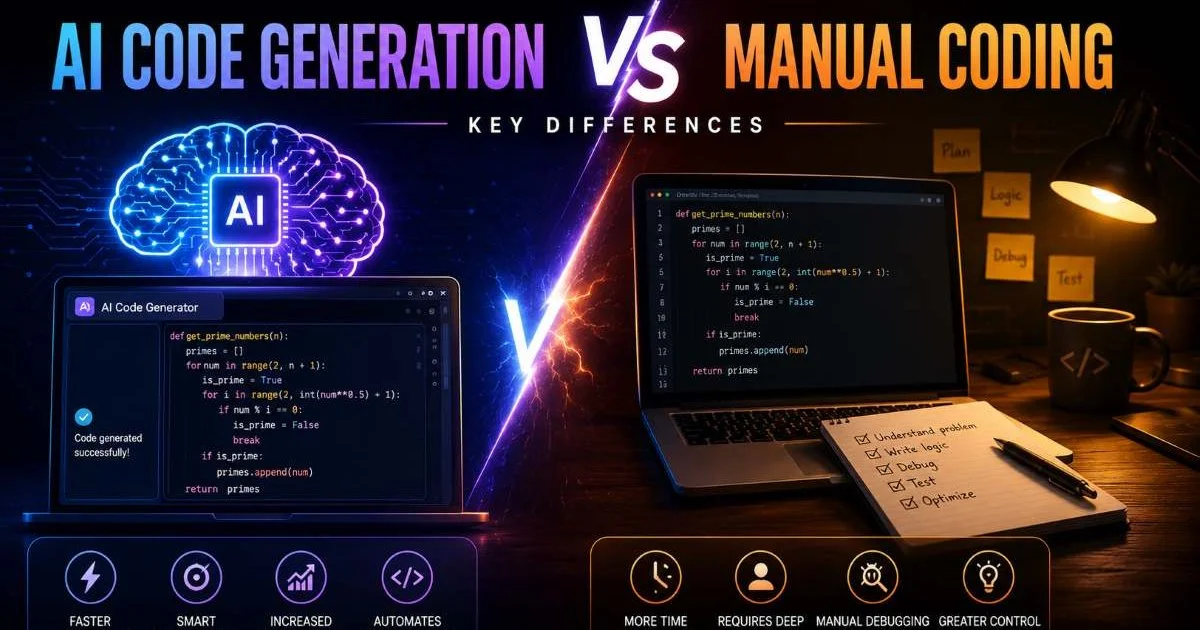
The most persistent myth is that AI code generation will eliminate programming jobs. In practice, the opposite is happening. Developers who adopt these tools become more productive, take on more ambitious projects, and spend less time on grunt work. The AI handles boilerplate; the human handles architecture, debugging edge cases, security review, and product decisions. Companies are not firing developers because of AI tools. They are expecting each developer to accomplish more. The skill set shifts, but the demand for people who understand software systems remains strong.
Think of it like the introduction of IDEs with autocomplete in the 2000s. Nobody argued that IntelliSense would replace Java developers. It just made them faster. AI code generation is a more dramatic leap in the same direction. You still need to know what good code looks like, why certain patterns exist, and how to debug when things break. The tool generates a first draft. You provide the judgment, context, and quality standards that turn a draft into production-ready software.
AI-generated code can contain security vulnerabilities. Always review output for SQL injection, XSS, and authentication flaws before deployment.
Misconception: Output Is Always Correct
Another common misunderstanding is that generated code works perfectly out of the box. It often does for simple, well-defined tasks. But as complexity increases, so does the likelihood of subtle bugs, outdated API usage, or logic errors. A model might generate a function that handles the happy path flawlessly but fails on edge cases like empty inputs, null values, or concurrent access. Testing is not optional. Every piece of generated code should go through the same review and testing process you would apply to code written by a junior team member.
Hallucinations are another risk. The model might reference a library function that doesn't exist or use a deprecated method from an older version. This happens because the training data includes code from many time periods and contexts. Experienced developers catch these issues quickly. Beginners might not, which is why building your own understanding of the language and framework remains important even when you regularly use a code generator tool. The AI accelerates your work; it doesn't validate it for you.
Never deploy AI-generated code to production without running your full test suite and performing a manual review.
How It Relates to Similar Concepts
Low-Code vs. AI Code Generation
Low-code platforms like Bubble, Retool, and OutSystems provide visual builders where you drag and drop components to create applications. They are powerful for certain use cases, particularly internal tools and simple CRUD apps. However, they impose constraints on architecture, customization, and hosting. When you generate code from instructions using an AI tool, you get actual source code that you own, can modify, and can deploy anywhere. There are no vendor lock-in concerns, and you maintain full control over the technology stack.
The two approaches serve different audiences and needs. A non-technical product manager might prefer a low-code platform for building an internal dashboard. A developer building a customer-facing SaaS product will benefit more from AI code generation because it produces flexible, portable code. Some workflows even combine both: using low-code for rapid prototyping and then switching to AI-generated code when the project needs custom logic, performance optimization, or integration with specialized infrastructure.
Traditional Code Generators
Before AI entered the picture, code generators already existed in forms like scaffolding tools (Rails generators, Create React App), template engines, and ORMs that auto-generate database access layers. These tools follow rigid templates and produce predictable, structured output. They work well for standardized patterns but cannot handle novel or nuanced requests. If you asked a Rails generator to "create a model with soft deletes and an audit trail," you would need to manually add those features after scaffolding.
AI-powered generation differs because it interprets intent rather than following a fixed template. You can ask for specific business logic, error handling strategies, or architectural patterns, and the model attempts to implement them directly. This flexibility makes it useful for a wider range of everyday developer tasks. That said, traditional generators remain valuable for their consistency and reliability within established frameworks. The smartest approach often combines both: use framework scaffolding for project setup and AI generation for custom business logic and utility functions that would otherwise require manual coding from scratch.
Frequently Asked Questions
?How do I write a prompt that generates useful code?
?How does AI code generation differ from low-code tools?
?Does generating code from instructions slow down as projects get complex?
?Is it safe to deploy AI-generated code directly to production?
Final Thoughts
The ability to generate code from instructions represents a genuine shift in how software gets built, not a gimmick or a shortcut. For beginner and mid-level developers, it offers a way to move faster, learn new frameworks by example, and tackle projects that once felt out of reach.
The tools are already good and improving rapidly. What separates developers who benefit from those who struggle is the willingness to write clear prompts, review output critically, and keep building their own technical foundations alongside the AI.
Disclaimer: Portions of this content may have been generated using AI tools to enhance clarity and brevity. While reviewed by a human, independent verification is encouraged.