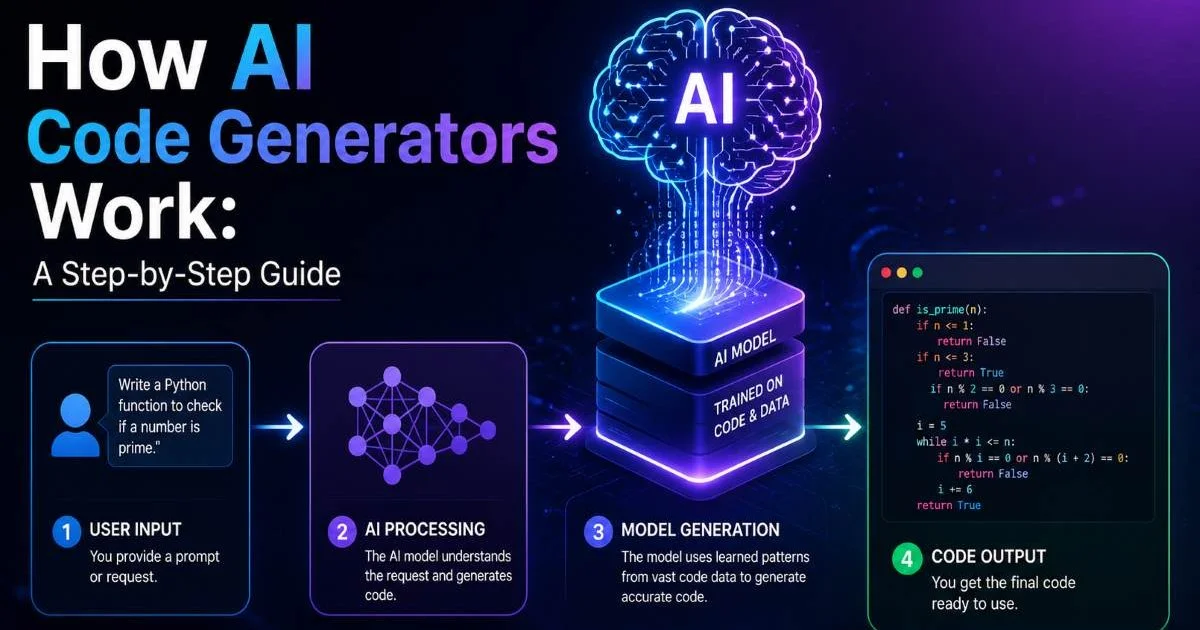
How AI code generators work: a step-by-step guide is something every developer should understand before relying on these tools in production. Whether you're building a simple landing page or a complex API, knowing what happens behind the scenes transforms you from a passive user into someone who can write better prompts and catch subtle code errors.
The technology powering these generators isn't magic; it's a combination of large language models, tokenization, and pattern recognition trained on billions of lines of code. As AI-assisted development becomes the norm, understanding these mechanics gives you a real competitive edge. If you're new to AI code generation and want a broader overview with definitions and examples, that's a solid starting point. This guide breaks the process into clear, numbered steps so you can follow along and actually internalize how these systems produce working code from plain English.
Key Takeaways
- AI code generators transform natural language prompts into structured code through multiple processing stages.
- Tokenization breaks your input into small pieces the model can mathematically process.
- Transformer architecture predicts the most probable next token based on learned patterns.
- Post-processing and validation steps catch syntax errors before code reaches you.
- Better prompts produce dramatically better output, so prompt engineering matters greatly.
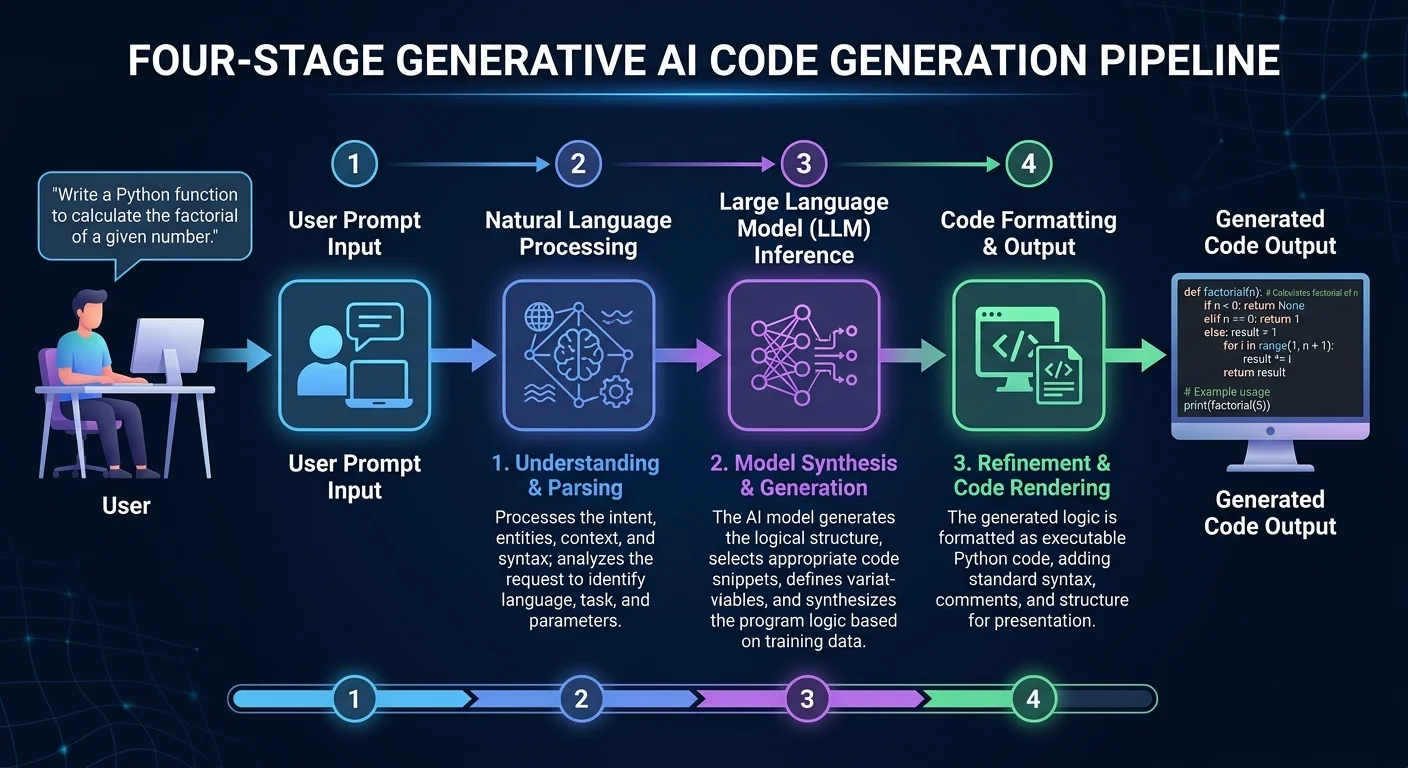
Step 1: Input Processing and Tokenization
Everything starts when you type a prompt. Whether it's "create a React login form with email validation" or "write a Python function to sort a dictionary by values," the AI doesn't read your words the way a human does. Instead, your entire input gets broken down into tokens, which are small chunks of text that might be whole words, partial words, or even individual characters. A typical English word splits into one to three tokens, while code-specific syntax like curly braces or semicolons each become their own token.
The tokenizer uses a vocabulary, usually containing 50,000 to 100,000 entries, built during the model's training phase. Each token maps to a numerical ID that the neural network can process. For example, the word "function" might be token 7291, while "async" could be token 15442. This numerical representation is what allows mathematical operations to happen on language. Without tokenization, the model would have no way to process your request.
How Tokens Map to Code
Code tokenization differs from regular text tokenization in important ways. Programming languages have strict syntax rules, so tokenizers trained on code repositories handle operators, indentation, and language-specific keywords differently than those trained purely on prose. A well-trained tokenizer recognizes that "def" in Python is semantically different from "def" appearing in an English sentence. This context-aware tokenization is why models like Codex or StarCoder perform better on programming tasks than general-purpose language models.
At the end of this step, your plain English prompt has been converted into a sequence of numerical IDs. Think of it as translating your request into the model's native language. The quality of this translation directly affects everything that follows, which is why prompts with clear, specific language consistently produce better results than vague requests.
Use programming-specific terminology in your prompts. Saying "REST API endpoint" gives the tokenizer clearer signals than saying "something that handles web requests."
Step 2: Model Inference Through Transformer Architecture
Once your prompt is tokenized, the sequence of numerical IDs enters the transformer model. This is where the real computation happens. Transformers, the architecture behind GPT-4, Claude, and most modern AI code generators, process all tokens simultaneously rather than sequentially. This parallel processing is what makes them powerful enough to understand complex, multi-part instructions. The model contains billions of parameters (weights) that were adjusted during training on massive code datasets.
The tokenized input passes through multiple layers of the transformer. Each layer refines the model's understanding of what you're asking. Early layers capture basic syntax patterns, like recognizing that an opening parenthesis expects a closing one. Deeper layers grasp higher-level concepts, such as understanding that a login form needs input fields, validation logic, and a submit handler. By the final layer, the model has built a rich internal representation of your request.
Attention Mechanisms Explained
The self-attention mechanism is the core innovation that makes transformers work for code generation. It allows every token in your prompt to "attend to" every other token, calculating relevance scores between all pairs. When you write "create a Python function that reads a CSV file and returns the average of column three," the attention mechanism connects "Python" to "function," "CSV" to "reads," and "average" to "column three." These connections form a web of relationships that guides the output.
Understanding how AI code generators work: a step-by-step guide through their architecture reveals why certain prompts succeed and others fail. If your prompt lacks specificity, the attention mechanism has fewer strong connections to work with, and the model defaults to the most statistically common patterns it learned during training. This is why generic prompts produce generic boilerplate. For deeper exploration of specialized AI models, including custom GPTs built for specific tasks, you can see how fine-tuning pushes these attention patterns toward domain expertise.
"The attention mechanism is what separates modern AI code generators from simple template engines; it's pattern recognition operating at extraordinary scale."
Step 3: Code Generation and Token-by-Token Output
After the model processes your prompt through its transformer layers, it begins generating output one token at a time. At each step, the model calculates a probability distribution over its entire vocabulary. It asks: given everything that came before (your prompt plus any tokens already generated), what token is most likely to come next? If the model has just output "def calculate_average(", the next token might be "self" with 12% probability, "data" with 28% probability, or "numbers" with 18% probability.
This autoregressive generation process continues until the model produces a stop token or reaches a maximum length. Each new token gets appended to the context, so the model considers its own prior output when generating the next piece. This is how it maintains syntactic consistency, ensuring that opened brackets get closed, function signatures match their implementations, and variable names stay consistent throughout the generated code block.
Temperature and Sampling Strategies
The "temperature" parameter controls how the model selects from its probability distribution. A temperature of 0 always picks the highest-probability token, producing deterministic and often repetitive output. Higher temperatures (0.7 to 1.0) introduce randomness, allowing the model to explore less obvious solutions. For code generation, lower temperatures tend to produce more reliable, syntactically correct results, while higher temperatures can yield creative but sometimes broken implementations.
At the end of this step, you have a raw sequence of tokens that forms your generated code. The model has predicted hundreds or thousands of tokens in sequence, each one influenced by your original prompt and every token that preceded it. How AI code generators work: a step-by-step guide through this generation phase shows why output quality varies so much between runs. Small differences in sampling can cascade into completely different code structures.
Running the same prompt twice with temperature above 0 will often produce different code. This isn't a bug; it's a feature of probabilistic generation.
| Temperature | Determinism | Creativity | Best Use Case | Error Risk |
|---|---|---|---|---|
| 0.0 | Maximum | None | Boilerplate, syntax-heavy tasks | Low |
| 0.3 | High | Minimal | Standard function implementation | Low |
| 0.7 | Moderate | Moderate | Problem-solving, algorithm design | Medium |
| 1.0 | Low | High | Brainstorming, exploring alternatives | High |
| 1.5+ | Very Low | Very High | Rarely useful for production code | Very High |
Step 4: Post-Processing, Validation, and Delivery
Raw model output isn't always ready to use. Most AI code generation platforms apply post-processing steps before showing you the result. These steps include formatting the code according to language conventions (proper indentation for Python, bracket placement for JavaScript), stripping incomplete trailing tokens, and sometimes running basic syntax validation. Some advanced tools even execute the generated code in a sandboxed environment to verify it runs without errors before presenting it to you.
Post-processing also handles context integration. If you're using an AI code generator inside an IDE, the tool needs to merge the generated code with your existing codebase. This means respecting your import statements, matching your naming conventions, and placing the new code at the correct position in your file. Tools like GitHub Copilot perform this integration in real-time, analyzing surrounding code to make their suggestions contextually appropriate rather than standalone snippets.
Common Mistakes to Avoid
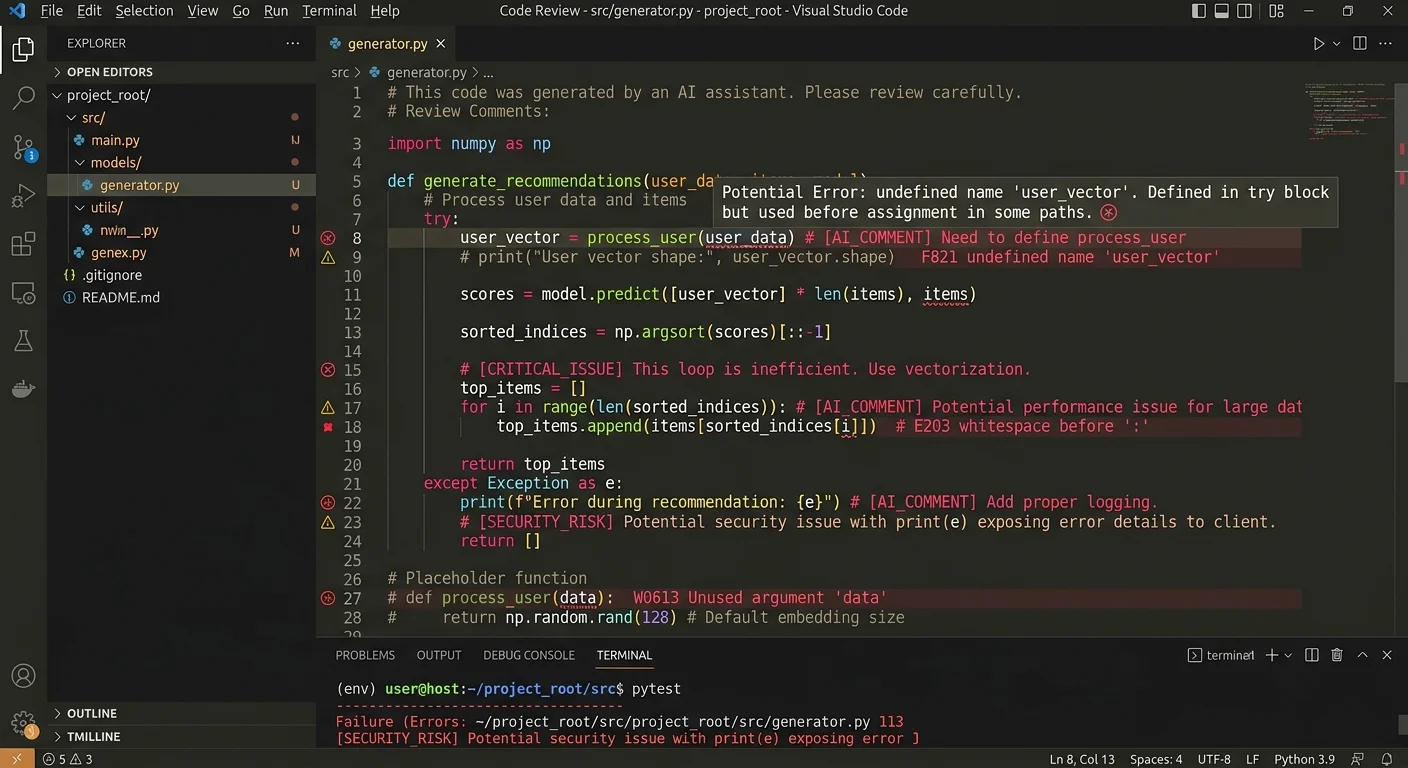
The biggest mistake developers make is trusting generated code without review. AI code generators are probabilistic systems, not compilers. They can produce code that looks correct, passes a quick glance, but contains subtle logic errors. Always test generated code thoroughly. Another common error is providing insufficient context in prompts. Telling the model what framework you're using, what version of the language, and what edge cases matter dramatically improves output quality. Treat your prompt like a specification document, not a wish.
How AI code generators work: a step-by-step guide through the full pipeline makes one thing clear: these tools amplify your existing knowledge rather than replace it. Understanding each stage, from tokenization through post-processing, helps you debug unexpected output and write prompts that align with how the model actually processes information. At the end of this step, you should have validated, formatted code that integrates with your project. Always run your test suite after incorporating generated code.
Never deploy AI-generated code handling authentication, payments, or sensitive data without thorough manual security review.
Frequently Asked Questions
?How do I write better prompts to improve AI-generated code quality?
?Does a higher temperature setting produce more creative or more accurate code?
?Can the post-processing step catch all logic errors before code reaches me?
?Why do general-purpose models underperform Codex or StarCoder on coding tasks?
Final Thoughts
How AI code generators work: a step-by-step guide through the pipeline reveals a system built on tokenization, transformer inference, probabilistic sampling, and post-processing. None of these steps involve the model "understanding" your code the way you do; it's sophisticated pattern matching at massive scale.
That distinction matters because it shapes how you should interact with these tools. Write precise prompts, review every output, and use your developer judgment as the final filter. The developers who get the most from AI code generation are the ones who understand what's happening under the hood.
Disclaimer: Portions of this content may have been generated using AI tools to enhance clarity and brevity. While reviewed by a human, independent verification is encouraged.